

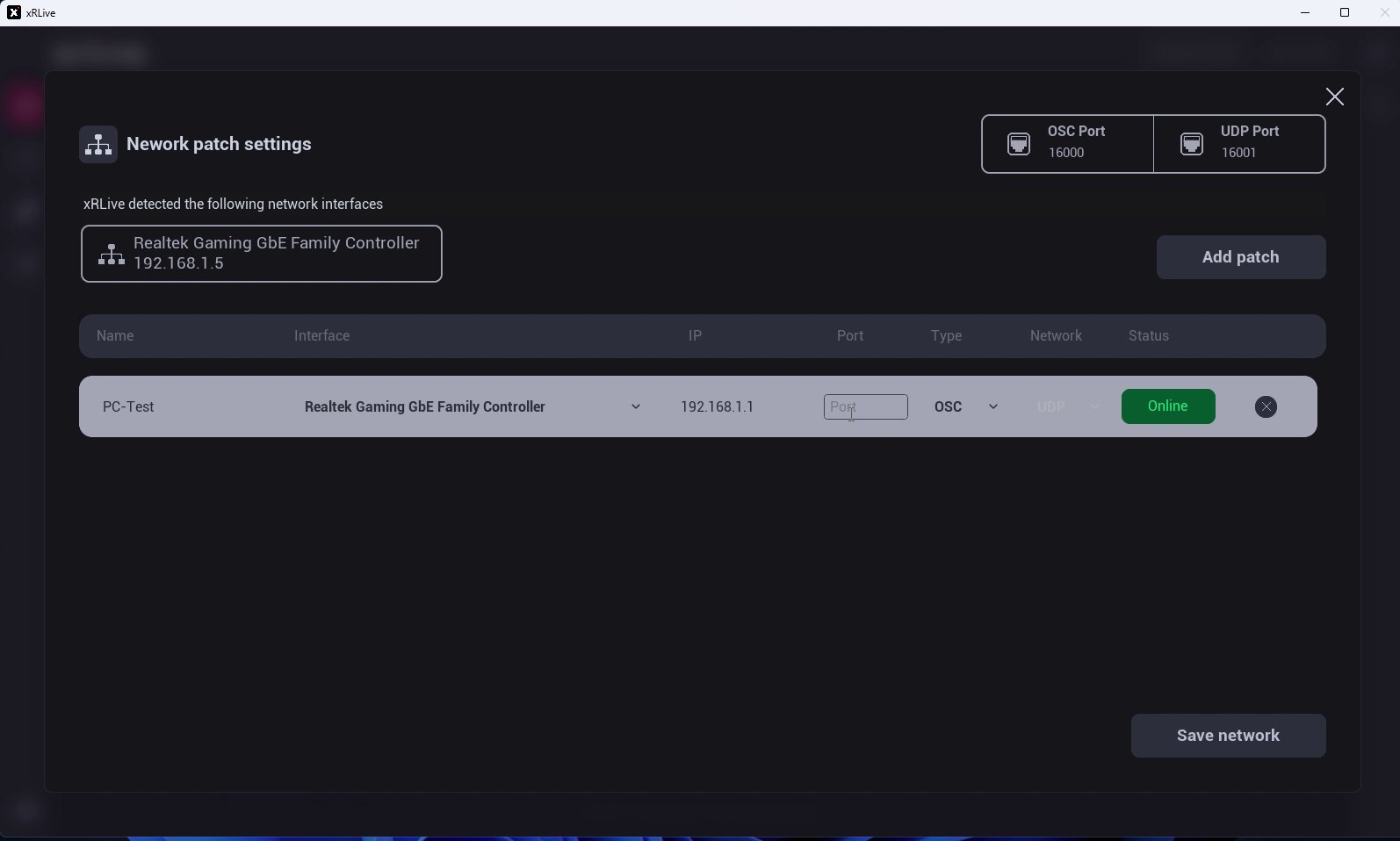
The Network patch settings dialog
Ports
Two ports sit at the top of the dialog:- OSC Port — the port xRLive listens on for OSC messages. Match it to the console or software that sends the commands. See OSC Integration.
- UDP Port — the port used for UDP communication.
Network interfaces
xRLive automatically detects the network interfaces on your machine and lists each one with its IP address. Use this to confirm which network xRLive can reach.Patches
A patch is a connection between xRLive and an external device. Click Add patch to create one, then fill in the row:- Name — a label for the device (e.g. PC-Test).
- Interface — the network interface to use.
- Device IP — the external device’s IP address.
- Port — the port on the device.
- Type — the protocol, such as TCP or OSC.
- Status — shows whether the patch is Online or offline.