

.xrlive visuals available to download and run. It’s accessible from the dashboard at dashboard.xrlive.app/dashboard/marketplace.
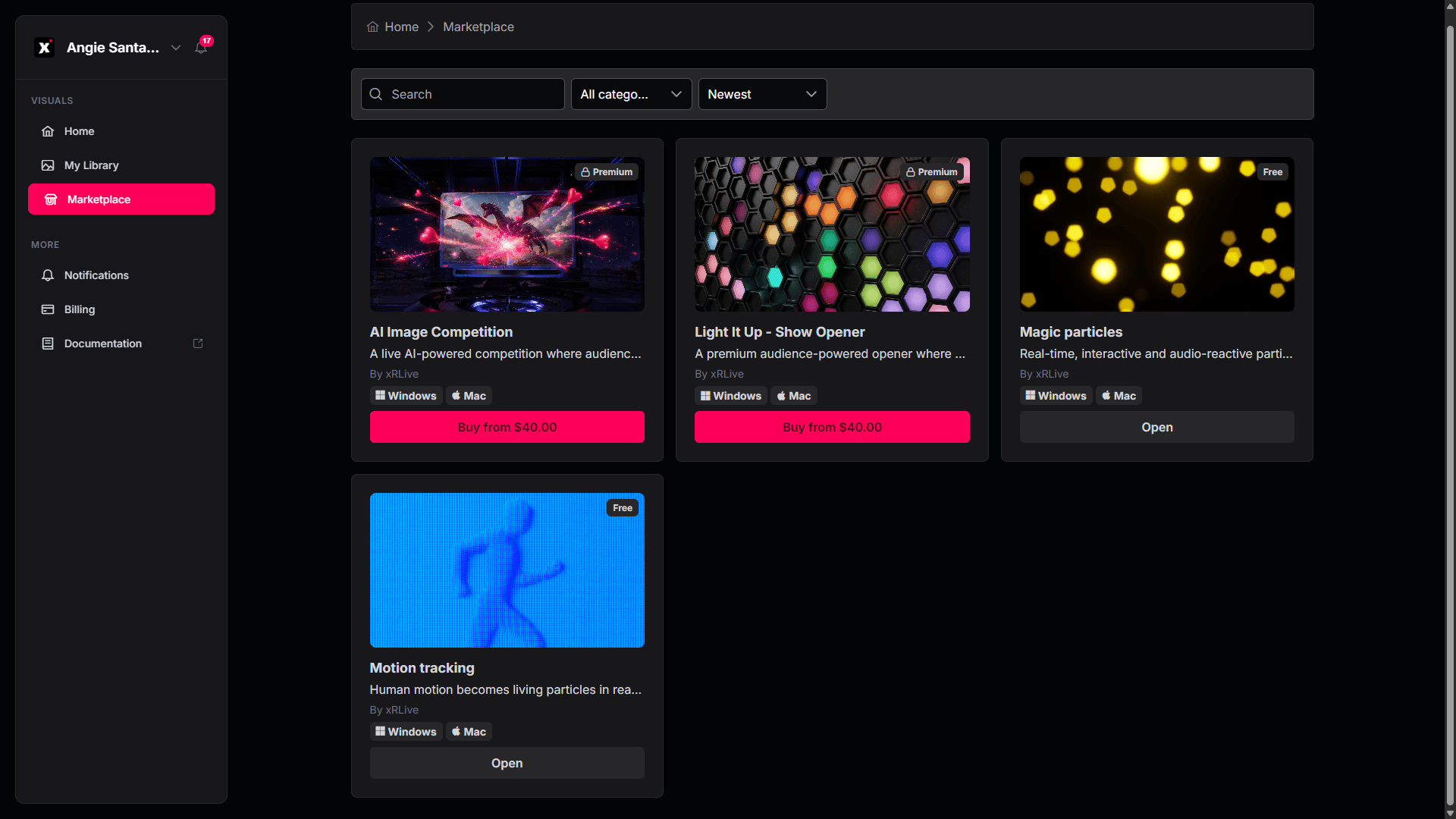
The xRLive Marketplace
Browsing visuals
Visuals are shown as cards. Each card includes:- A thumbnail with a badge marking it as Premium or Free.
- The name and a short description.
- The creator (e.g. By xRLive).
- Platform badges showing where it runs — Windows and/or Mac.
- An action button: Open for free visuals, or Buy from $[price] for premium ones.
Finding a visual
The row of controls at the top of the page helps you find exactly what you’re looking for. You can use them on their own or combine them.- Scroll the page — to see everything, simply scroll up and down. All available visuals are listed as cards.
- Search by name or keyword — click the Search box and start typing. The list updates as you type to show only the visuals whose name or description matches your text.
- Filter by category — click the category dropdown (it reads All categories when nothing is selected) and choose a category, such as Abstract or Experiences. The page then shows only visuals in that category. Choose All categories again to clear the filter.
- Change the order — click the sort dropdown (for example, Newest) to reorder the list.
Previewing a visual
Click any card to open its Preview. The preview shows a video or image of the visual on the left, and on the right its name, category · creator, and a full Description from the creator.Free vs premium visuals
Free visuals carry a Free badge. Open the preview and click Open to add the visual to your library at no cost.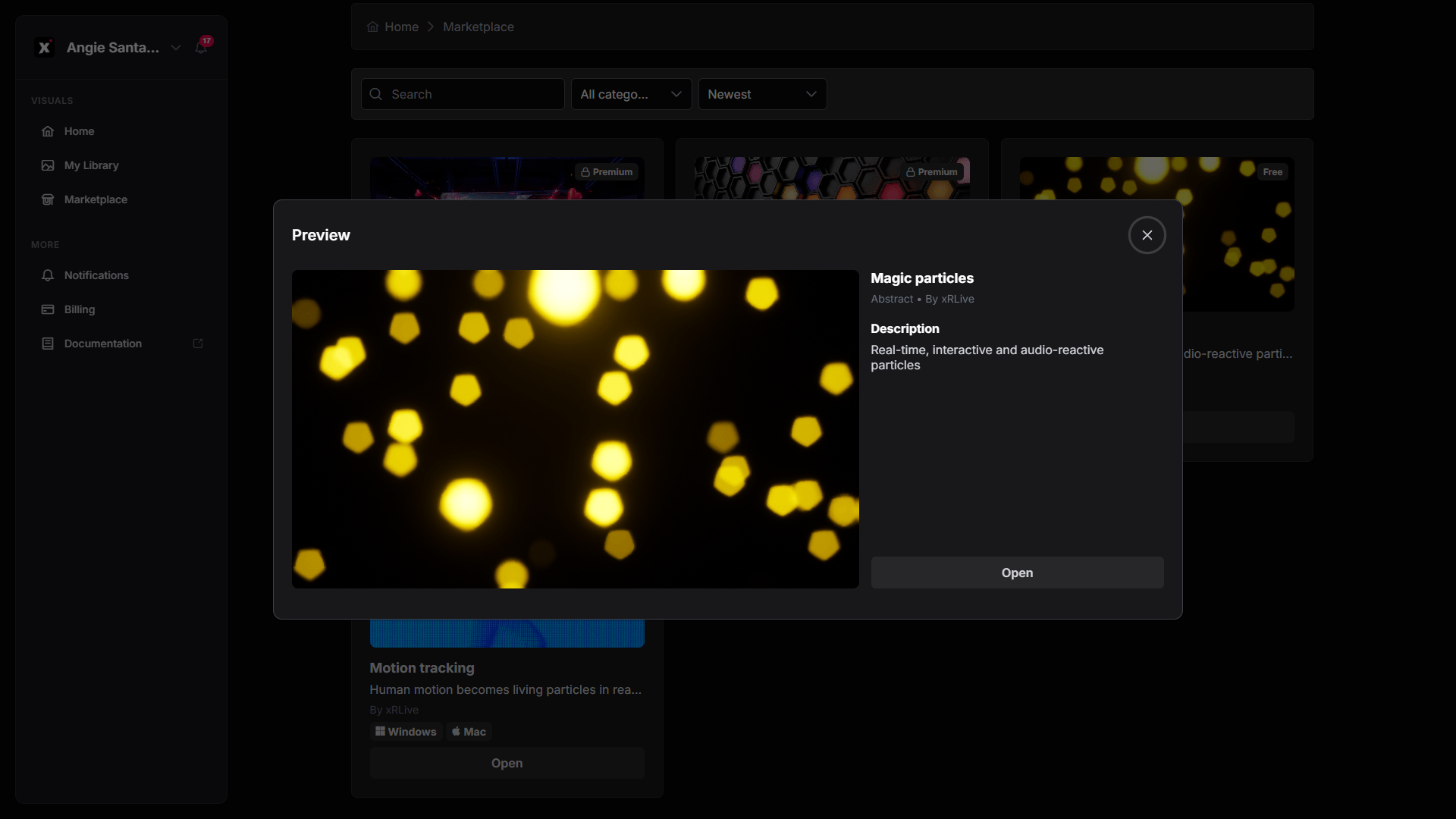
Preview of a free visual
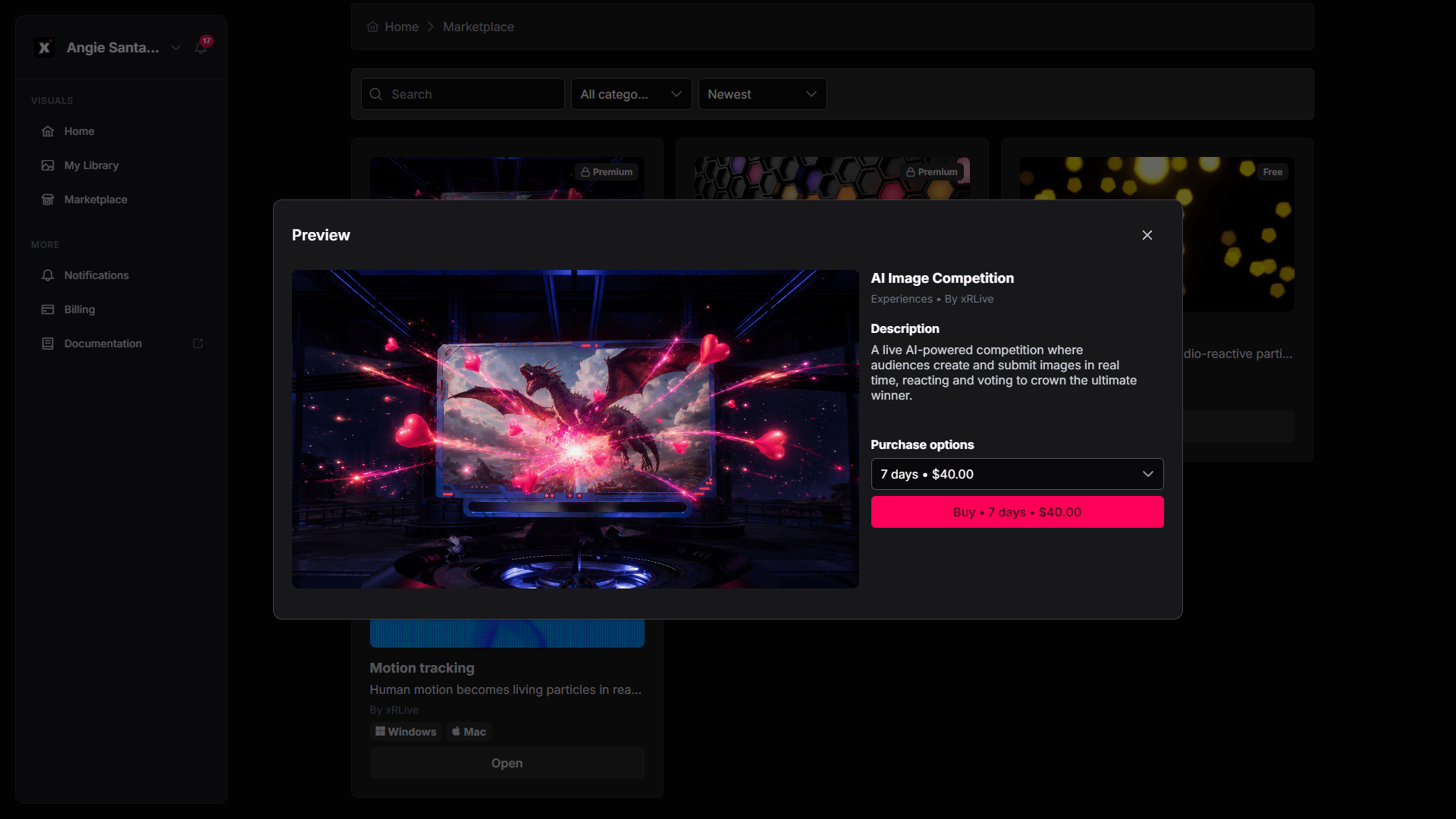
Preview of a premium visual with purchase options
You need a PRO or CREATOR subscription to run premium visuals. The Marketplace lets anyone browse, but running visuals on stage requires a subscription.
After getting a visual
Once a visual is in your library, open the xRLive Launcher — your library refreshes automatically, and the new visual is ready to open.Buy a visual
Step-by-step walkthrough of the purchase flow.