

Upgrade to a higher tier
To move up a tier — for example, from Visuals Pro to Visuals Creator — open the Upgrade your plan window from My Library and click Upgrade to Visuals Creator. The window marks the plan you’re on as Your current plan.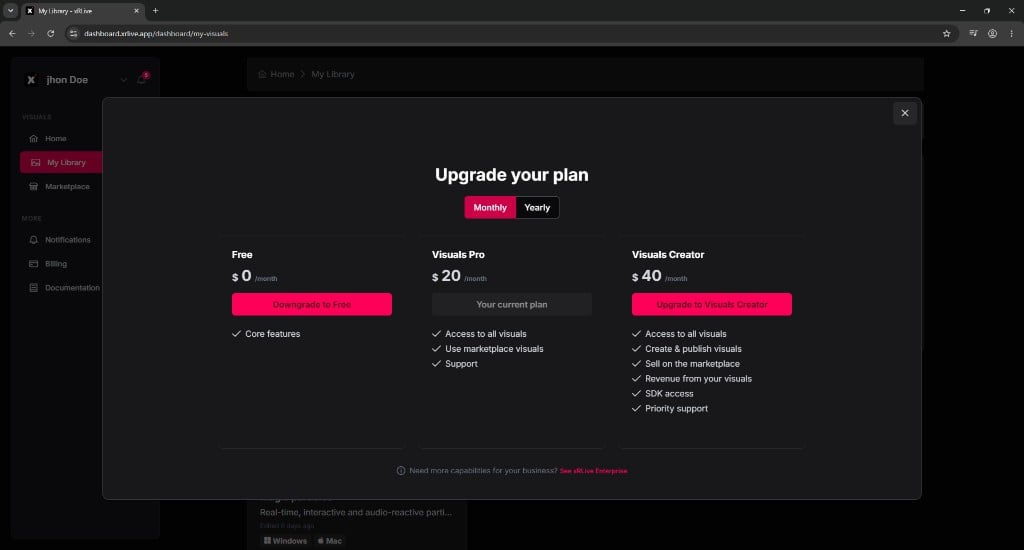
The Upgrade your plan window, with the current plan marked and the option to move up a tier
Manage billing in Stripe
Payments, cards, and billing details are handled by Stripe. To open the billing portal, go to Billing in the dashboard sidebar and click Manage Subscription.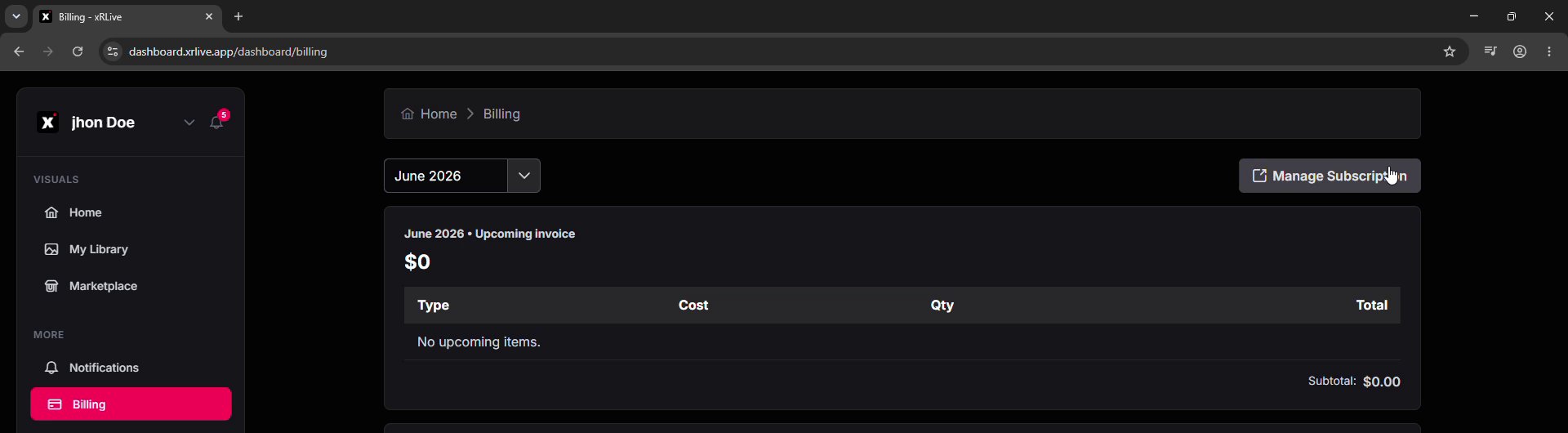
The Billing page in the dashboard — Manage Subscription opens the Stripe billing portal
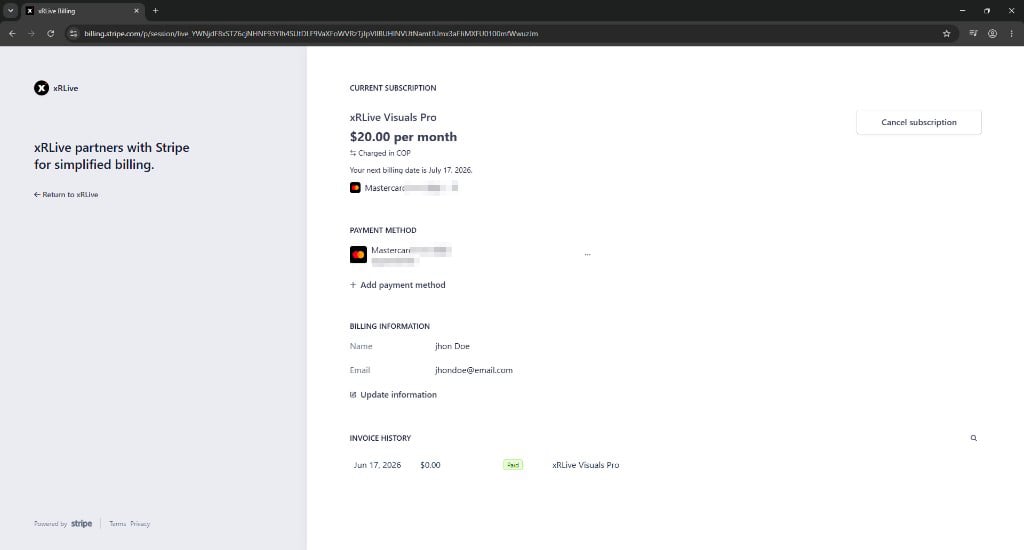
The Stripe billing portal
- See your subscription — the plan you’re on and its price.
- Check your next billing date — the date of your next charge and the card it will be charged to, with an option to edit it.
- Manage payment methods — view the cards on file, add a new one, or edit an existing one.
- Update billing information — your name and email, with an Update information option.
- Review invoice history — your past invoices, also available in Invoices.
- Cancel your subscription — see Cancel Subscription for the full process.
Adding a payment method
Click Add payment method in the portal to add a new card. Enter the card details and click Add to save it.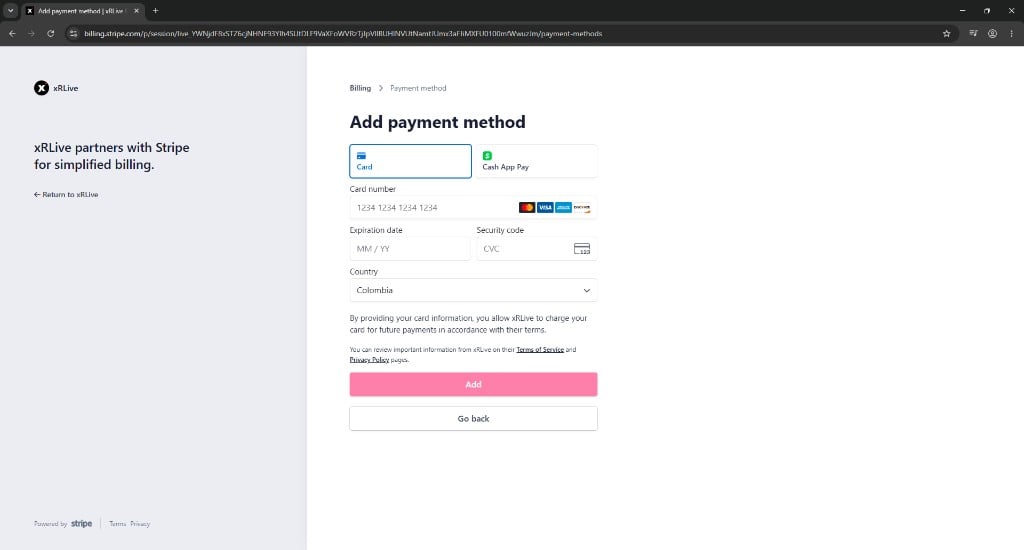
Adding a new payment method in the Stripe billing portal
Your card information stays with Stripe and is never stored by xRLive.
Where to go next
Cancel Subscription
How to cancel and what happens to your plan afterward.
Invoices
View and download your billing history.