

Your billing history
Open Billing in the dashboard sidebar. The page shows the invoice for the selected month at the top, and your full history below. Each row lists the date, a description, its status, the amount, and a View link to open it.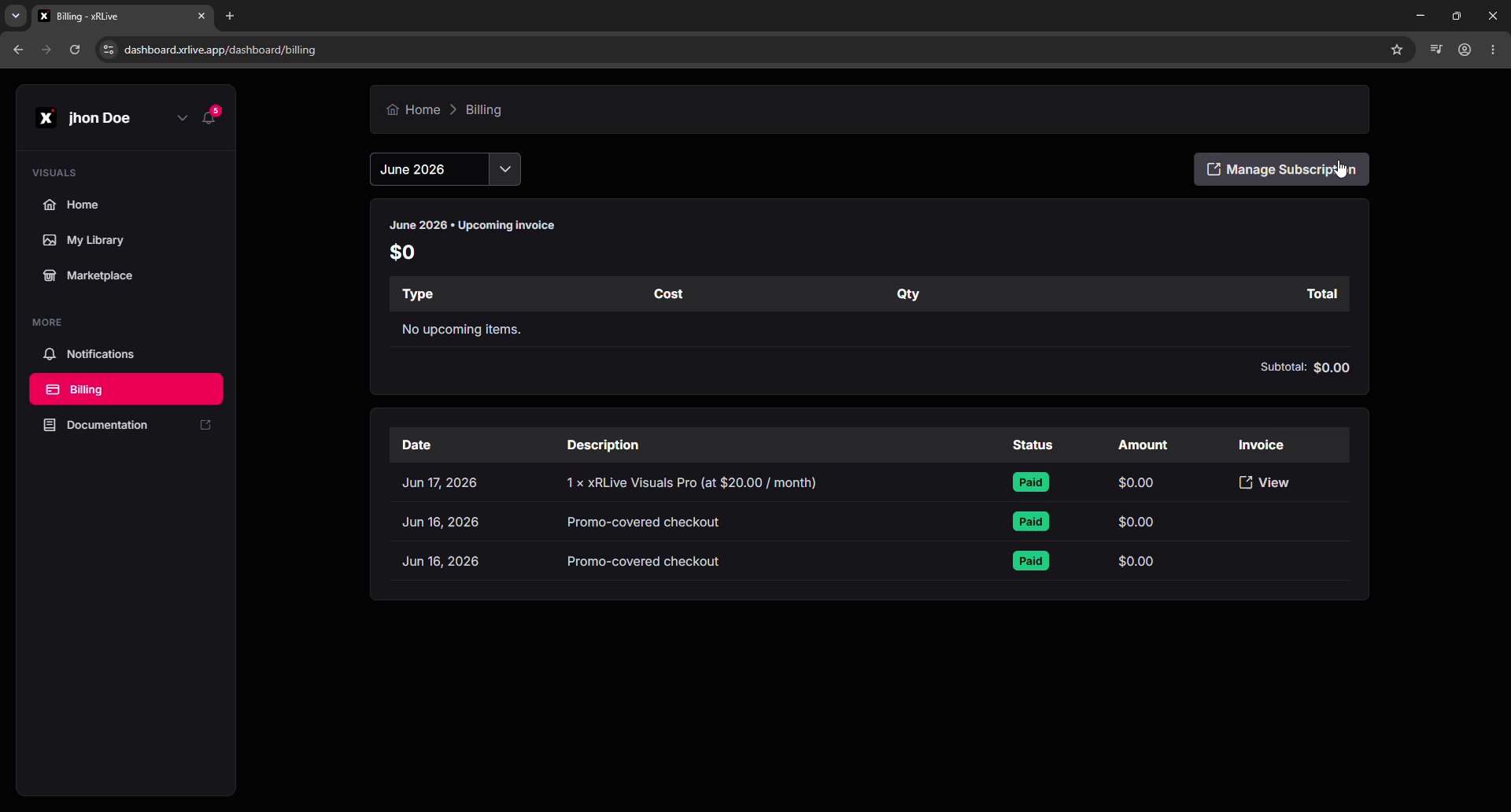
The Billing page in the dashboard, with the invoice history and View links
Viewing and downloading an invoice
Click View on any row to open the invoice in Stripe. From there you can see whether it’s paid, the invoice number, and the payment date — and download it.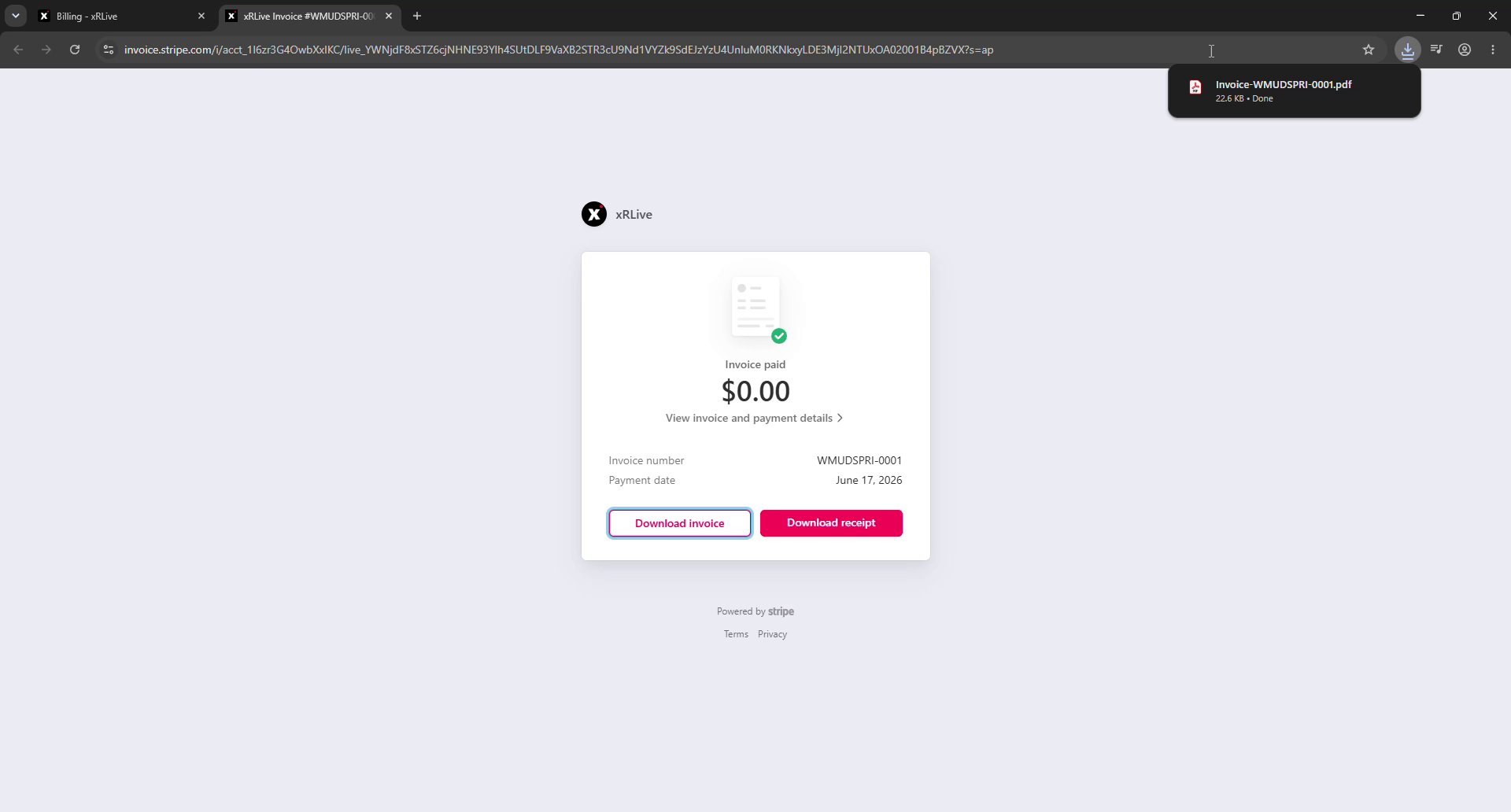
An invoice opened in Stripe, with options to download the invoice or the receipt
- Download invoice — saves the itemized invoice as a PDF.
- Download receipt — saves a payment receipt as a PDF.
Your full invoice history is also available in the Stripe billing portal. See Manage Subscription for how to open it.
Where to go next
Manage Subscription
Change your tier or manage billing and payment methods in Stripe.
Plans & Subscriptions
Compare plans and pricing.