> ## Documentation Index
> Fetch the complete documentation index at: https://xrlive.mintlify.site/llms.txt
> Use this file to discover all available pages before exploring further.
# Install on Windows
> Download and install the xRLive Launcher on Windows
## System requirements
Before installing, confirm your machine meets the [minimum requirements](/launcher/install/system-requirements). xRLive uses Unreal Engine 5 rendering — a dedicated GPU is strongly recommended for smooth stage output.
## Download the installer
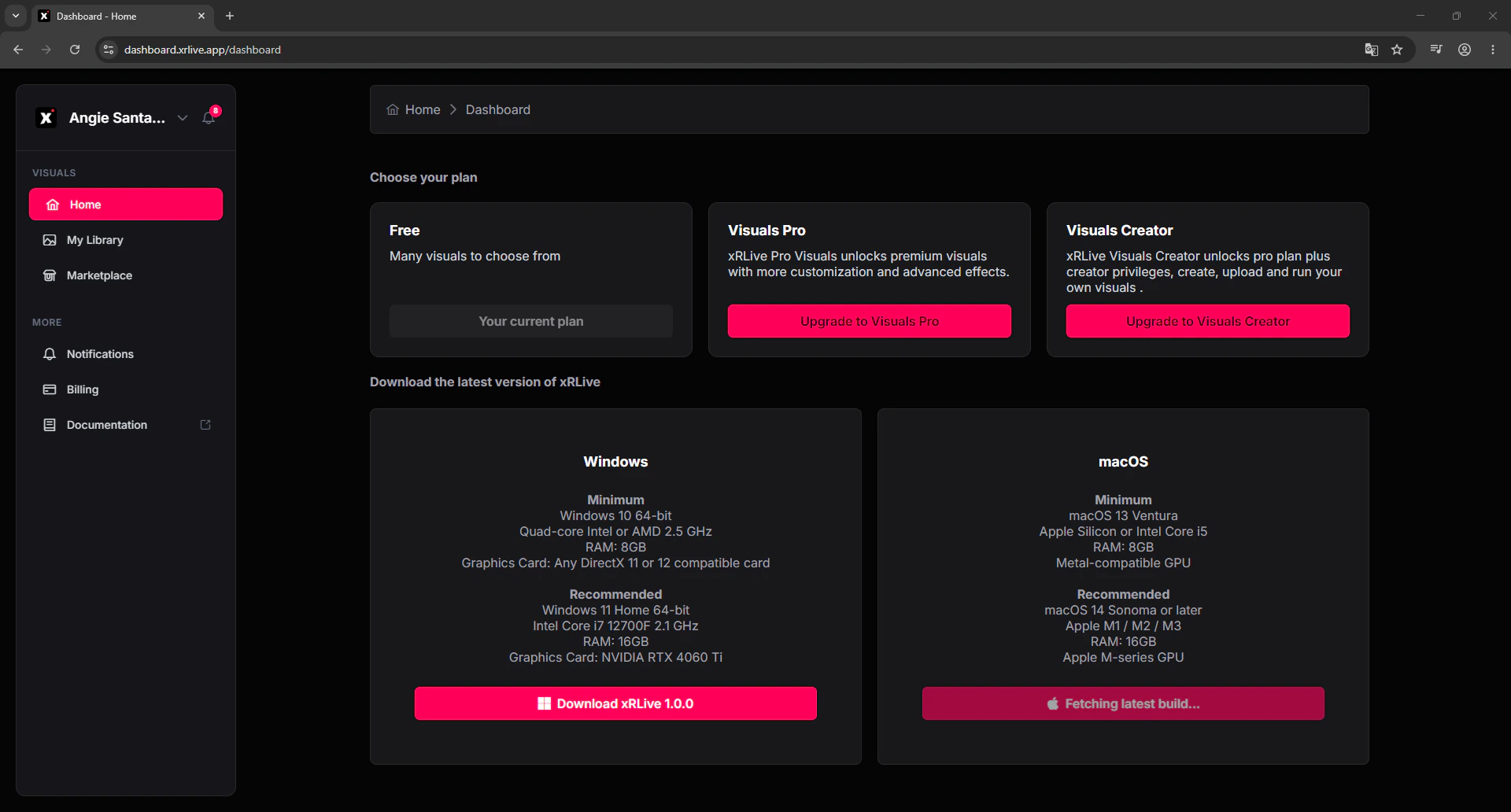
1. Log in to [dashboard.xrlive.app](https://dashboard.xrlive.app).
2. Go to **Home** in the left sidebar.
3. In Windows section, click **Download xRLive** — this downloads the latest `.exe` installer.
 ## Run the installer
1. Open the downloaded `.exe` file.
2. If Windows shows a SmartScreen warning, click **More info → Run anyway**. xRLive is a signed application — the warning appears because it's not yet in Microsoft's catalog.
3. Follow the installer steps. xRLive installs to `C:\Program Files\xRLive` by default.
4. A desktop shortcut and Start Menu entry are created automatically.
## First launch
1. Open xRLive from the Start Menu or desktop shortcut.
2. Sign in with your xRLive account credentials or click **Continue with Google**.
3. The launcher loads and your visual library is ready.
→ See [First Launch](/launcher/install/first-launch) for initial setup and display configuration.
## Updates
xRLive checks for updates on startup. When a new version is available, a prompt appears — click **Update** to install it. You can also check manually via **Settings → Check for Updates**.
Updates are delivered as patches, not full reinstalls. Most updates download and apply in under a minute.
## Run the installer
1. Open the downloaded `.exe` file.
2. If Windows shows a SmartScreen warning, click **More info → Run anyway**. xRLive is a signed application — the warning appears because it's not yet in Microsoft's catalog.
3. Follow the installer steps. xRLive installs to `C:\Program Files\xRLive` by default.
4. A desktop shortcut and Start Menu entry are created automatically.
## First launch
1. Open xRLive from the Start Menu or desktop shortcut.
2. Sign in with your xRLive account credentials or click **Continue with Google**.
3. The launcher loads and your visual library is ready.
→ See [First Launch](/launcher/install/first-launch) for initial setup and display configuration.
## Updates
xRLive checks for updates on startup. When a new version is available, a prompt appears — click **Update** to install it. You can also check manually via **Settings → Check for Updates**.
Updates are delivered as patches, not full reinstalls. Most updates download and apply in under a minute.