> ## Documentation Index
> Fetch the complete documentation index at: https://xrlive.mintlify.site/llms.txt
> Use this file to discover all available pages before exploring further.
# Invoices
> View and download your billing history
Every charge on your account generates an invoice. You can review your billing history in the dashboard and download any invoice or receipt as a PDF.
## Your billing history
Open **Billing** in the dashboard sidebar. The page shows the invoice for the selected month at the top, and your full history below. Each row lists the **date**, a **description**, its **status**, the **amount**, and a **View** link to open it.
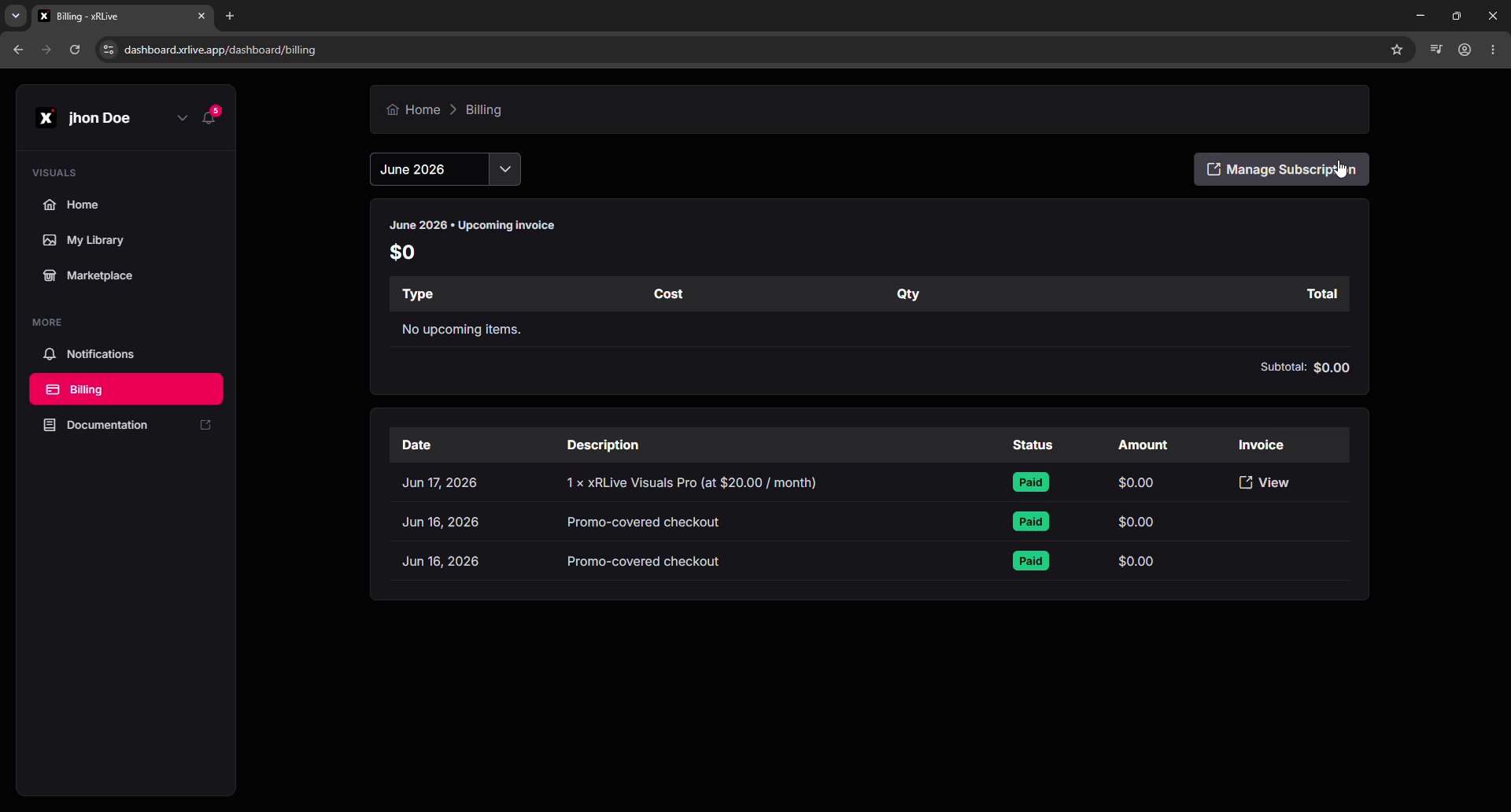 Use the month selector at the top of the page to jump to a specific billing period.
## Viewing and downloading an invoice
Click **View** on any row to open the invoice in Stripe. From there you can see whether it's paid, the invoice number, and the payment date — and download it.
Use the month selector at the top of the page to jump to a specific billing period.
## Viewing and downloading an invoice
Click **View** on any row to open the invoice in Stripe. From there you can see whether it's paid, the invoice number, and the payment date — and download it.
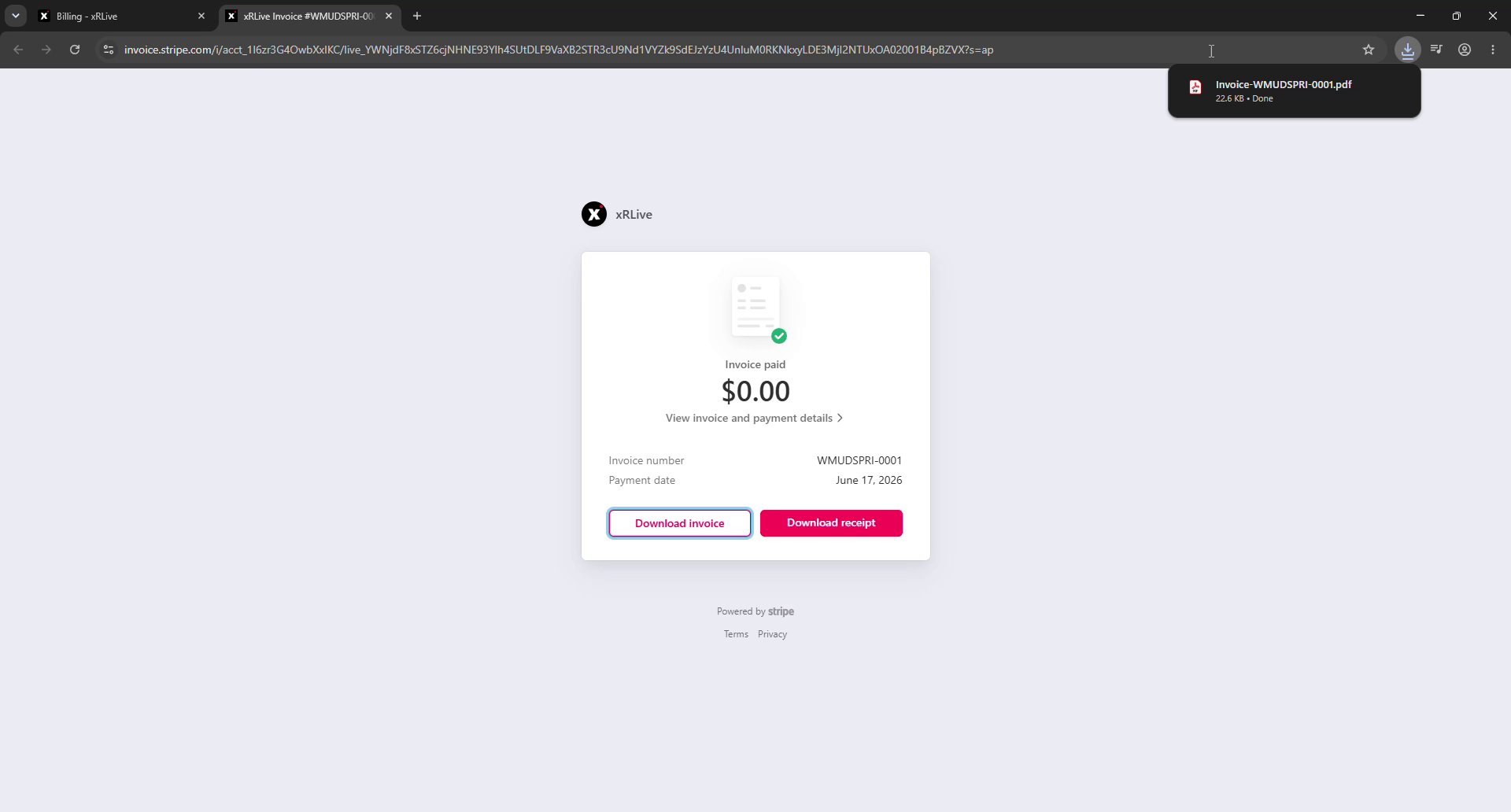 * **Download invoice** — saves the itemized invoice as a PDF.
* **Download receipt** — saves a payment receipt as a PDF.
Your full invoice history is also available in the Stripe billing portal. See [Manage Subscription](/dashboard/billing/manage-subscription) for how to open it.
## Where to go next
Change your tier or manage billing and payment methods in Stripe.
Compare plans and pricing.
* **Download invoice** — saves the itemized invoice as a PDF.
* **Download receipt** — saves a payment receipt as a PDF.
Your full invoice history is also available in the Stripe billing portal. See [Manage Subscription](/dashboard/billing/manage-subscription) for how to open it.
## Where to go next
Change your tier or manage billing and payment methods in Stripe.
Compare plans and pricing.